

MiniFuse 2 OTG comes with an exclusive selection of software titles offering everything you need to give your sound the professional edge.
Please check the following sections to have more information about the different titles.
But first, before diving into the specifics of each title, please first check the "General advice" section below.
First off, after having followed the steps described via the link below, your MiniFuse 2 OTG should be now registered on your account:
If not already done, make sure to plug your interface and then click on the link above.
You should also find on the same page some details about the provided licences:
Also, the steps to follow should be described on the aforementioned page by clicking on the desired product banner (e.g Cubase LE 14):
If for some reasons the above page would not be accessible, just connect to My Arturia, and go in My Products section.
From there, click on the "Show more details" button next to your MiniFuse 2 OTG.
You should then be able to see all your Included Arturia licences, but also the included Third-party licenses:
All the activation/redeem codes you may need should be displayed in the Serial column.
"Link" column should also provide some useful links but if needed, make sure to refer to all the different sections below to find out how to redeem, download and install your software.
Cubase LE 14, from Steinberg, is included in the software bundle offered with the MiniFuse 2 OTG.
Built on the core technology of the renowned Cubase Pro, it provides all the essential recording, editing, and mixing tools you need in an intuitive package, complete with inspiring sounds and instruments to start creating immediately.
Getting started with Cubase LE
- To retrieve your Download Access Code for Cubase LE, login to your Arturia account: My Arturia
- Download and Install the Steinberg Download Assistant and follow the on-screen instructions to install it.
- Launch the Steinberg Download Assistant and Create an Account (If Needed)
- You do not have an activation code for Cubase LE. Once logged in, click on the "+" symbol at the top left corner of the Steinberg Download Assistant and enter the Download Access Code provided to you. This will register Cubase LE to your account.
- Select Cubase LE 14: On the left side of the Download Assistant, click on the "My Product Downloads" section. Then, choose "Cubase LE 14" from the options available in the folder.
- Choose Downloads: On the right side of the Download Assistant, you'll see all available downloads for Cubase LE 14. You can choose to download all components at once or select specific content and applications you need.
- Start Cubase LE 14: After Cubase LE is successfully installed, you can launch it from your computer. Remember that you'll need an internet connection for the first launch to validate the activation. After the initial activation, Cubase LE can also be launched offline.
You can compare Cubase versions via the link below:
Cubasis LE 3, from Steinberg, is included in the software bundle offered with the MiniFuse 2 OTG.
Cubasis LE makes recording, editing and mixing a breeze - no matter where you are, right there on your iPhone or iPad.
Getting started with Cubasis LE
- Download Cubasis LE on the App Store.
- Connect your MiniFuse 2 OTG to your iPhone or iPad. Make sure to use the dedicated OTG Port to connect it (a camera connection kit may be also required for some Apple devices).
- Launch Cubasis LE and wait for the unlock pop-up message.
 Note
Note
-Cubasis LE version only supports Apple iOS Tablets and Phones. No compatible version for Android exists.
-You can compare existing Cubasis versions via the link below:
Ableton Live Lite is included in the software bundle offered with the MiniFuse 2 OTG.
With Ableton Live Lite, you can compose, record, perform, and produce anything on an introduction to one of the most widely-used musical software titles in the business.
Getting started with Ableton Live Lite 12
- To retrieve your activation code for Ableton Live Lite, login to your Arturia account: My Arturia
- Click on this link and simply follow the instructions from Ableton using your activation code.
You then just have to follow their installation procedure.
VEA from Izotope is included in the software bundle offered with the MiniFuse 2 OTG.
VEA is an AI audio enhancer that takes any voice recording and makes it more powerful, more polished, and more professional. This easy-to-use tool is perfect for podcasters and content creators of all skillsets, whether you’re a beginner or a seasoned pro.
Getting started with Voice Enhancement Assistant
- To retrieve your activation code for VEA, login to your Arturia account: My Arturia
- Click on this link to install Native Access – a free app for installing, activating and maintaining your Native Instruments software.
- Start Native Access and log in with your Native ID or create an account.
- Enter your serial number for "VEA" inside Native Access.
- You will find the software under the “Not Installed” tab inside Native Access.
- Hit the Install button to download and install your product.
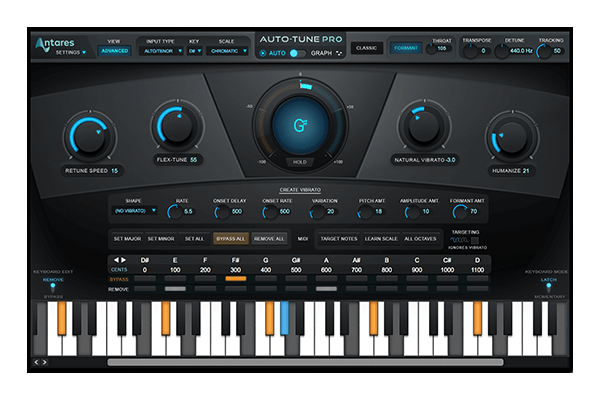
- To retrieve your promo code for "AutoTune Unlimited", login to your Arturia account: My Arturia
-
Click on this link to create an account on the Antares website, and follow the instructions.
Reminder: What is offered with the MiniFuse 2 OTG is a free 3-month subscription to AutoTune Unlimited. Please read carefully the terms and conditions of this offer while proceeding to checkout.
A 3-month subscription to Splice Creator Plan, is included in the software bundle offered with the MiniFuse 2 OTG.
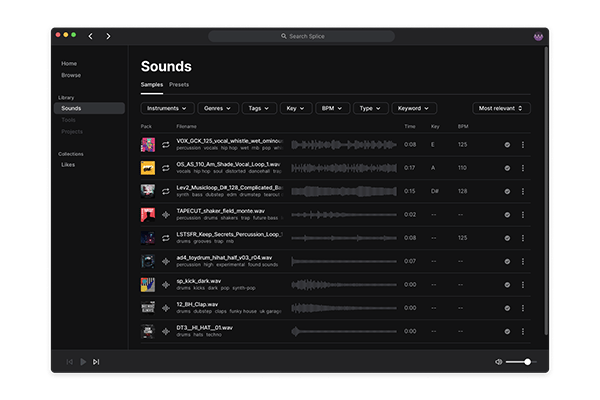
With Splice Creator Plan, you can access millions of hi-def royalty-free samples, from lo-fi drum loops to punchy vocal one-shots, as well as synth sounds, Splice Skills tutorials, and much more.
Getting started with Splice
- To retrieve your 3-months subscription for "Splice", login to your Arturia account: My Arturia
-
Click on this link to create an account on the Splice website.
Note
-This offer is available to new Splice Sounds customers only.
-The samples that you will download on your computer during your free trial period will still be available to you afterwards.
A 1-year subscription to Hindenburg Pro is included in the software bundle offered with the MiniFuse 2 OTG.
Hindenburg PRO is the go-to audio editor for journalists, audio producers, podcasters, and voice professionals.
Its Scandinavian-designed interface strips away complexity- so you can focus on the story, - while ensuring your stories meet the highest audio industry standards.
Getting started with Hindenburg Pro
- To retrieve your promo code for Hindenburg Pro, login to your Arturia account: My Arturia
- Go to hindenburg.com/arturia
- Create your Hindenburg account
- Download and install Hindenburg Pro
- Launch the app and sign in with your account.