

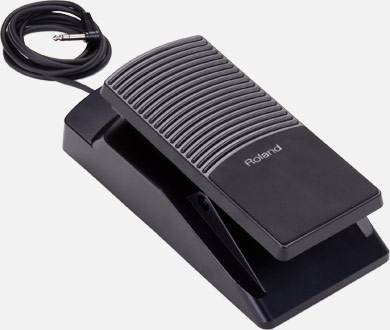
Most of expression pedals are stereo (TRS). You can find more information here:
Understanding Expression Pedals
Arturia controllers and synths are using the same standard as Clavia (Nord), CME, Emu, Kurzweil, M Audio, Oberheim®, Roland with the pot cursor soldered on the jack tip, the top of pot connected to the plug Ring, and the bottom of pot connected to the plug Sleeve.
Here are compatible pedals (indicative list):
- M Audio EX-P (Switch set to "M-Audio" position)
- Roland EV-5
- Roland EV-7
- Lead Foot LFX-1
At Arturia's we particularly use the M-Audio EX-P.
 Important note
-On our side, we do recommend using pedals with a resistance value in between 10KΩ and 25KΩ.
-We would also recommend avoiding using pedals over 25KΩ, such as the Yamaha FC-7 (50K +/- 30%), which will exceed these recommended values. It would be possible to reach the maximum 127 value, but only on a small range of the pedal's travel.
For your information, the lower the resistance value, the lower the efficiency range, possibly leaving you with a dead-zone at the end of the pedal travel. However, there is an upside to a low resistance value, with the pedal's behavior being more linear.
Here is a quick summary with values:
- Pedals under 10KΩ would be better to avoid to prevent any potential difficulties to reach the maximum 127 value.
- 10KΩ pedals will be working fine.
- 25KΩ should also be a good compromise between linearity and efficiency range.
Make sure to refer to your pedal's User Manual to find these specifications.
Note
-Expression pedals volume control (typically on the side of the pedal) usually needs to be set to the lowest level or 0 position.
-If your pedal seem to be acting reversely, make sure to refer to the following article explaining how to proceed (Also applies to expression pedals acting reversely on MiniLab 3 or KeyLab Essential mk3):
My sustain pedal acts reversely. How to invert it?
-If such is happening with a KeyLab mk3 referring to the "How to calibrate my pedal on my KeyLab mk3" section below should help:
The KeyLab MK3 allows for more flexibility and supports a more extended range of pedals however for all continuous pedals to operate properly, you will have to first proceed with a calibration from the unit itself for both the range and polarity to be handled properly (This applies for both Sustain and Expression TRS continuous pedals).
To do so:
-Press "Settings" button
-Open "Global" menu
-Select "Pedal Calibration"
-Select either "Sustain" / "Expression" / "Aux 1" or "Aux 2" Calibration menu
-Then follow onscreen instructions.
Note
Make sure to check that your KeyLab mk3 firmware is up to date via the MIDI Control Center as explained in the following article: