

MiniFuse 1 comes with an exclusive selection of software titles offering everything you need to give your sound the professional edge.
Please check the following sections to have more information about the different titles.
But first, before diving into the specifics of each title, please first check the "Bundle content and General advice" section below.
The bundle includes the following licenses:
Arturia licenses:
 Analog Lab Intro
 Pre 1973
 Rev PLATE-140
 Delay TAPE-201
 Chorus JUN-6
To download & install all your Arturia software licenses, please use the Arturia Software Center.
More details are available in the following FAQ section: Install & Activate.
Third-party licenses:
 Ableton Live Lite
 NI Guitar Rig LE
 Splice 3 months
 AutoTune Unlimited 3 months
To install the Third-party licenses:
-First off, connect to My Arturia, and go to My Products section.
-From there, click on "Show more details" next to your MiniFuse 1.
-You should then be able to see all your Included Arturia licences, but also the Other included licenses:
All the activation codes you'll need should be found in the Serial column.
You will also find a button in front of each license that either send you to specific landing pages on our partners' website, or to their registration page.
Further instructions are contained in the next sections below as well.
GUITAR RIG 6 LE, from Native instruments, is included in the software bundle offered with the MiniFuse 1.
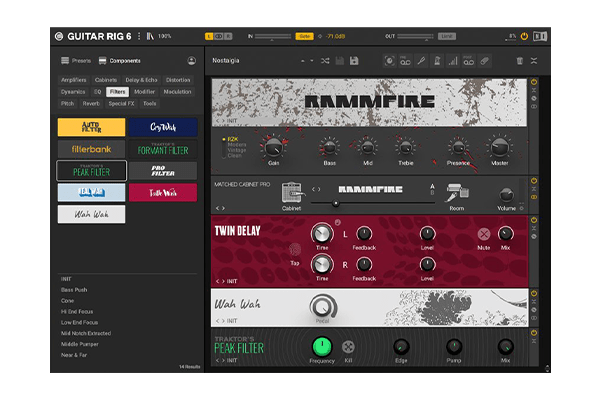
With its inspiring selection of amps, cabs, delays, reverbs, stompboxes and compressors, you can build your own processing chains and customize your perfect guitar tones.
-To access Native Instruments's dedicated landing page to Arturia interface users, you can visit this page.
-On Native Instruments's landing page, you'll find the complete step-by-step procedure to proceed with the installation process of GUITAR RIG 6 LE.
-They will ask for your GUITAR RIG 6 LE serial number available in the "My Products" section of your account as explained in the "Bundle content and General advice" section above.
 Note:
Note:
Since this software title comes from a third-party supplier of music software, you'll have to download some utility software (Native Access) and create login credentials (Native ID) specific to them.
Ableton Live Lite is included in the software bundle offered with the MiniFuse 1.
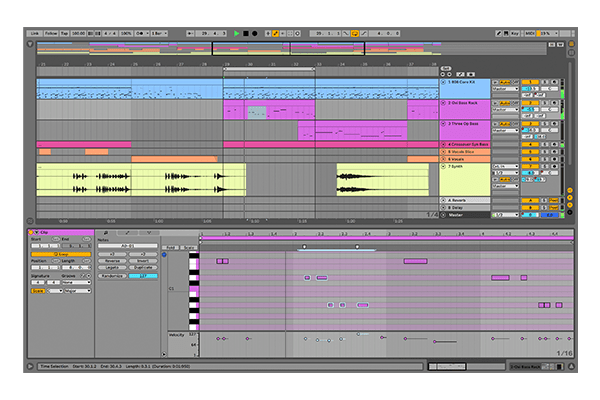
With Ableton Live Lite, you can compose, record, perform, and produce anything on an introduction to one of the most widely-used musical software titles in the business.
-To access Ableton's registration page, you can use this link.
-From there, either log into your Ableton account, or create one.
-Once it's done, they will simply ask you for your Ableton Live Lite license code available in the "My Products" section of your account as explained in the "Bundle content and General advice" section above.
You then just have to follow their installation procedure.
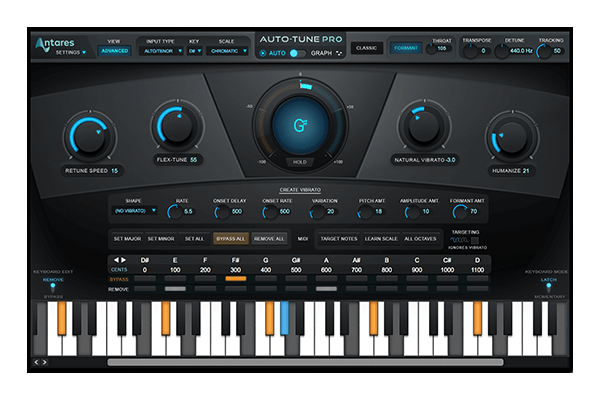
With AutoTune Unlimited, you can refine your vocal parts for perfect harmony or go full trap-style AutoTune on one of the industry’s favorite voice tuning plugins.
-To access Antares's landing page dedicated to MiniFuse users, you can use this link.
Once you've entered your promo code, you will need to log into your Antares account, or create one.
From there, simply follow Antares's checkout and installation process.
Reminder:
What is offered with the MiniFuse is a free 3-month subscription to AutoTune Unlimited. Please read carefully the terms and conditions of this offer while proceeding to checkout.
A 3-month subscription to Splice Creator Plan, is included in the software bundle offered with the MiniFuse 1.
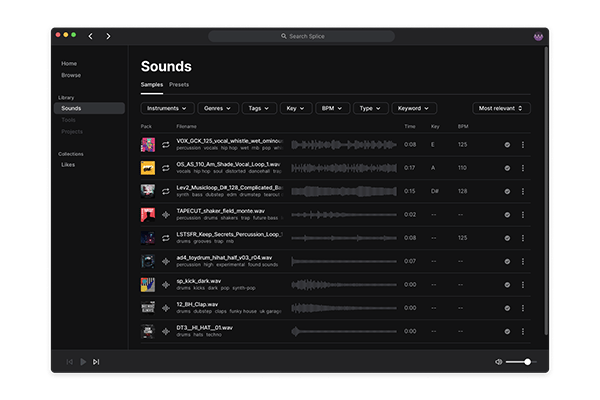
With Splice Creator Plan, you can access millions of hi-def royalty-free samples, from lo-fi drum loops to punchy vocal one-shots, as well as synth sounds, Splice Skills tutorials, and much more.
To benefit from the free subscription that comes with your MiniFuse, please follow the step-by-step procedure below:
1: Create a new Splice account on their Sign up page.
2: Once your account is created, click on your account thumbnail and select "Plans"
3: Select the "Creator" plan ($19,99/month subscription) and click on Try Free to land on the Billing page.
4: Click on "Enter promo code".
5: Find your promotion code on My Arturia available in the "My Products" section of your account as explained in the "Bundle content and General advice" section above.
6: Copy/paste the promo code in the Splice billing page and click on "Apply". You'll see the discount being applied on your bill.
7: From there, follow the billing procedure, and then, enjoy using Splice's Creator plan.
Please note that:
- This offer is available to new Splice Sounds customers only.
- The samples that you will download on your computer during your free trial period will still be available to you afterwards.